
Close the day
Check the shift, clear what blocks the close, and close the business day.
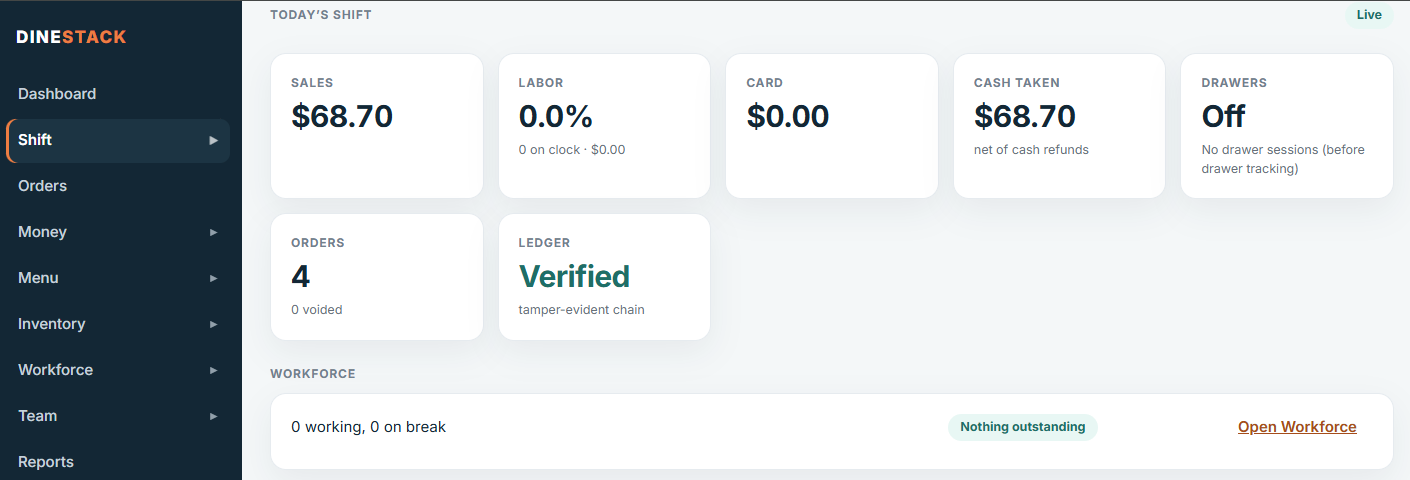
Watch the shift
The owner dashboard’s Shift page shows the day live: sales, labor, cash taken, orders, and Ledger: Verified when every record checks out. Under Registers each tablet says All records on DineStack once everything it took has arrived.
Close the day
- Open Shift → Close the day. Only an owner or manager can close.
- Read the status: Ready to close, ready once warnings are acknowledged, or not ready yet.
- Clear anything under Must be resolved — for example an order placed but not paid (take payment, or void it with a reason), or a register that has not sent everything yet (reconnect it).
- Tick each warning you have reviewed.
- Check Today’s money, which walks from the cash you took to the cash that should be in the drawers.
- Close. A close cannot be edited or undone.
After closing you get a Z-report to print or download as CSV. If anything is recorded for that day later, the day shows as changed and you can close it again as a new revision; the first close is kept exactly as it was.
When does the business day end?
By default at midnight in your restaurant’s time zone. If you trade past midnight, choose a later end (2:00–6:00 AM, or a custom time) under Settings → Business day; it applies from the next business day.