
Take payment and give change
Cash in one tap, change worked out for you, and what is coming for cards.
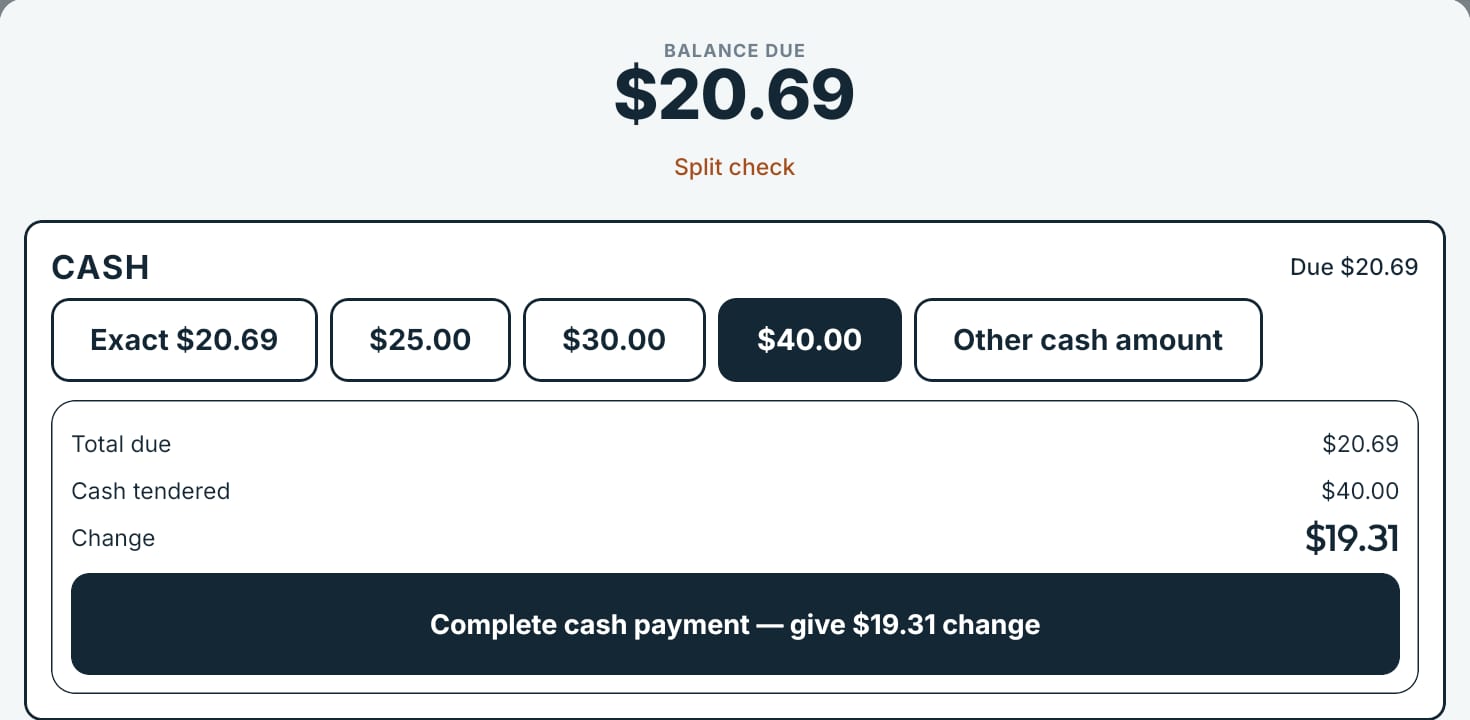
Cash
- Tap Place & Pay (or Pay on a placed order). The screen shows the Balance due.
- Tap Exact, or the note the guest handed you — the register offers the next round amounts.
- For anything else, tap Other cash amount, type what you were given, and the button shows the change before you confirm.
- The register shows the change due. Done.
Cards
Card payments run on your own card processing account (owner console → Money → Payment setup), with a card reader paired to the register. Cash always works, online or offline. DineStack takes $0 from your card processing, now and later.
Receipts
After payment the register can show the receipt, with a QR code the guest can scan to check it. To print one, open the order in the owner dashboard (Orders → the order → Show receipt → Print). Printing straight from the register: coming soon.
Refunds
Refunds are made by an owner or manager in the owner dashboard under Money → Refunds, with a reason. A cash refund waits until a register pays it out from the drawer. Split checks on the register: coming soon.