
Take orders on the register
Sign in, build an order, send it to the kitchen, hold it or take payment.
Sign in
- On Who’s using this register?, tap your name.
- Enter your 4–6 digit PIN and tap Sign in. Not me goes back.
- To hand over, tap your name at the top and choose Switch staff or Lock register. Any open check stays in Open Checks.
Build an order
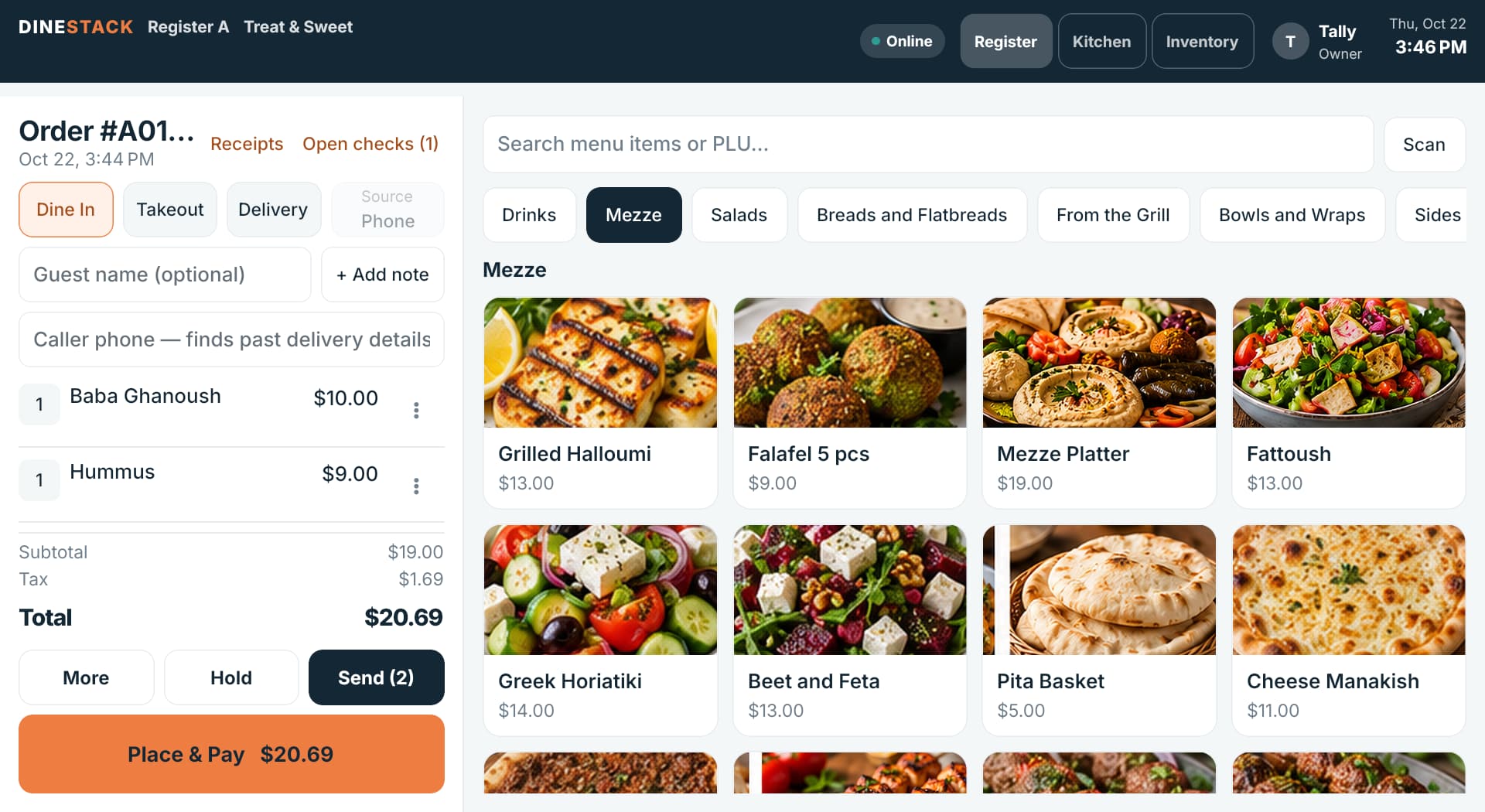
- Choose Dine In, Takeout or Delivery. A delivery order needs the guest’s name, phone and address before it can be sent.
- Add a guest name if you call orders by name. Without one, takeout orders are called out as Walk-in.
- Tap items from Favorites or a category, or type in Search menu items or PLU… — search works even with no internet.
- Items with options open a sheet: pick the size or extras and tap Add.
- To change a line, tap its ⋮: change the quantity, repeat it, add an item note, discount it, or remove it. A line already sent to the kitchen is voided with a reason instead, and counted as waste.
Send, hold or pay
- Send fires the new items to the kitchen and keeps the order open.
- Hold parks it; find it again under Open checks.
- Place & Pay sends anything unsent and opens payment.
- More has open checks, an order-wide discount or comp, delivery details, start a new order, and void order.
Each order gets a number like A0066 from a block reserved for that register, so two registers never hand out the same number, even offline.