
Kitchen workflow: tickets, stations and Mark Ready
How a ticket arrives, what each part means, and how cooks mark food ready.
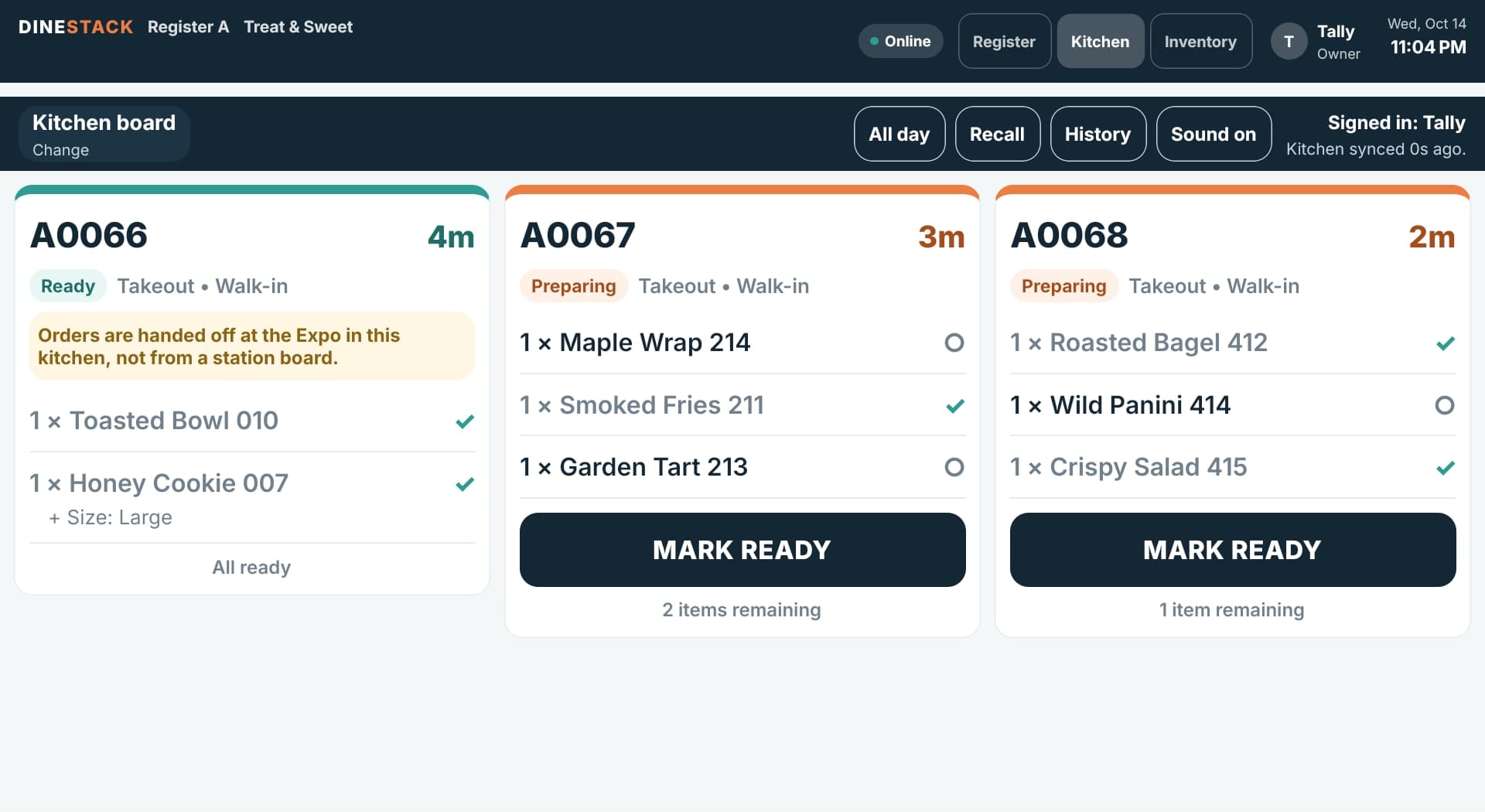
Reading a ticket
- The order number and how long ago it was first sent, updated every few seconds.
- A status in words and colour: Preparing, Aging (past your warn time), Overdue (past your late time), Ready.
- How it is served and the guest’s name, such as “Takeout • Walk-in”.
- Each item with its options and notes. Items added after the first send are marked + ADD-ON; a cancelled item shows CANCEL and is struck through — stop making it.
- On a station board, Waiting on names any other station still working on the same order.
Marking food ready
- Tap an item when it is done; its circle becomes a check.
- Or tap MARK READY to mark everything left on this board done at once.
- The footer counts down: “1 item remaining”, then All ready.
A station cook sees only their station’s items, and a ticket with nothing for them does not appear. Where the restaurant has an Expo screen, orders are handed off at the Expo, not from a station board.
The buttons along the top
- All day — the running count of every item still to make on this board.
- Recall — bring back a recently handed-off ticket.
- History — the kitchen’s day, by station and by staff (needs a connection).
- Sound on / Sound off — a chime when a new ticket arrives.
- A line saying when the kitchen last synced, so you always know the board is current.